Alternately, a member tip is to upload photos to Facebook and re-save the files. Facebook automatically resizes (compresses) photos, so the file size will be smaller, and of the correct format.
NOTE: Other files (documents such as transfer forms and castration certificates) also need to meet file size and format settings. These specifications are listed beside the upload box. If you continue to experience issues uploading them, we suggest taking a photo of the document and uploading it as an image.
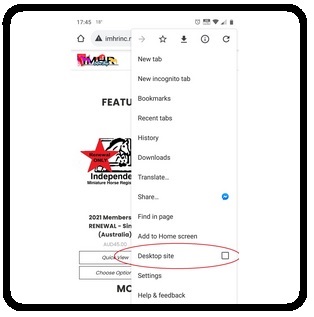 < If your files will still not upload, and you are using a mobile device (phone/tablet), you may need to view the computer version of the Shop. You can do this in your browser settings by clicking "Desktop Site" or "Switch to Standard View" - this will display the shop as you would see it on a computer and you should no longer have issues with files uploading provided they meet the size/type as explained above.